
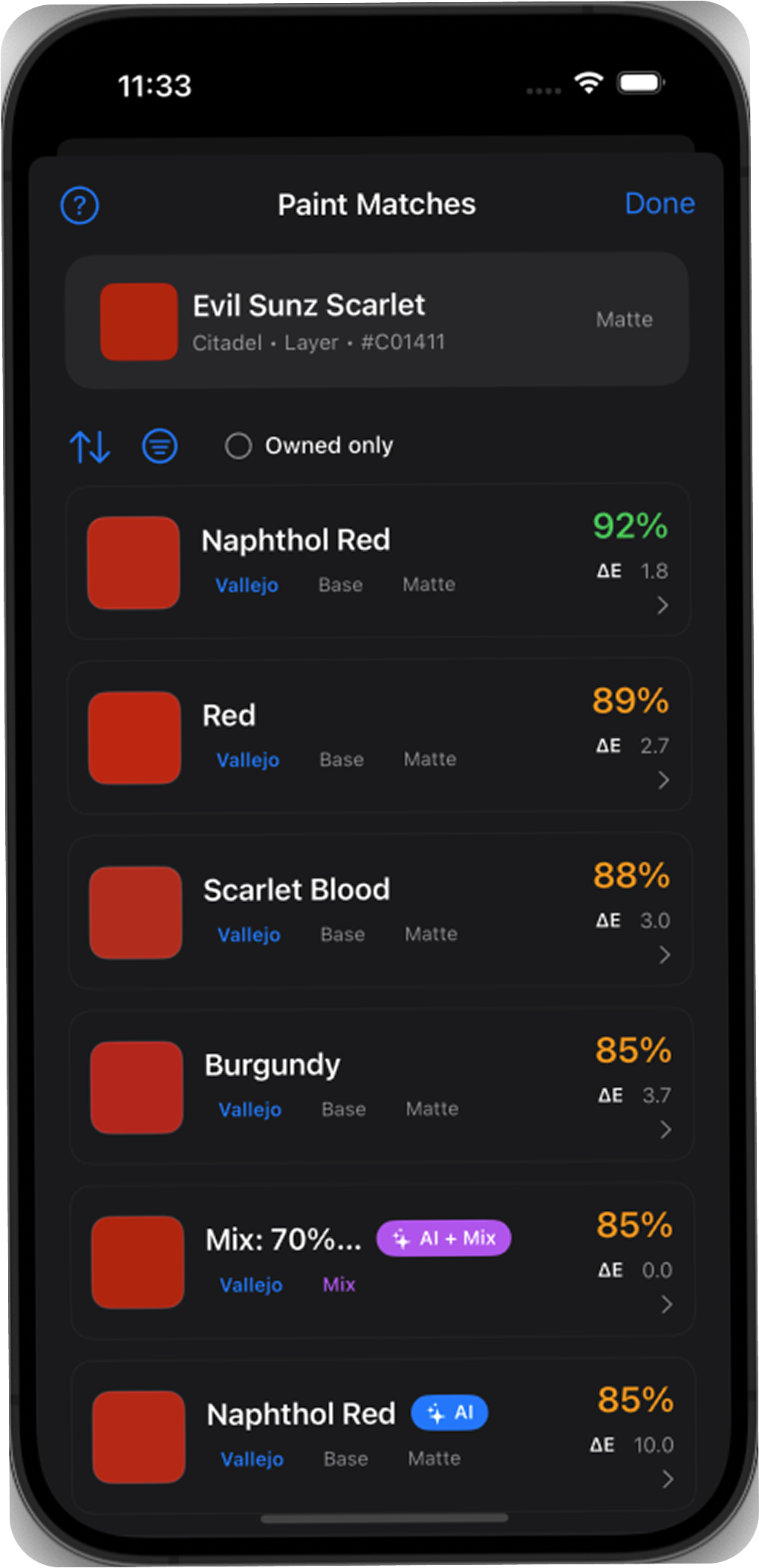
What the number measures
RGB hex values are convenient for screens but are not perceptually uniform: the same numerical change does not look equally large everywhere in RGB space. BrushForge converts a recorded sRGB colour into CIELAB, then compares two Lab coordinates with the CIEDE2000 formula. The formula adjusts how lightness, chroma, and hue differences contribute in different regions of colour space.
The result is relative. A score describes the distance between the two inputs supplied to the formula. If the catalogue inputs are approximate, the output can be precisely calculated while still being an imperfect description of two paints.
BrushForge’s practical reading guide
These are product guidance tiers, not universal pass/fail standards for physical hobby paint. Boundaries are deliberately non-overlapping.
| ΔE2000 | Label | How to use it |
|---|---|---|
| 0 | Same recorded color value | The stored values match; this does not prove identical physical paint. |
| >0–2 | Very close color match | Usually difficult to distinguish under comparable conditions. |
| >2–5 | Close color match | A useful shortlist for substitution. |
| >5–10 | Noticeable difference | Review the swatches and intended use carefully. |
| >10 | Different color | Treat it as an alternative rather than an equivalent. |
The CIE’s technical work validates colour-difference formulas for controlled colour comparisons, including small adjacent differences. A miniature adds curved geometry, texture, variable layer thickness, primer, ambient light, and gloss. That is why BrushForge does not present these website tiers as a physical-paint guarantee.
Why the screen swatch is approximate
A screen emits light; paint reflects it. Even a well-made preview changes with display gamut and calibration, brightness, True Tone or Night Shift, ambient lighting, and the viewing angle of the device. Metallic particles and glossy or translucent surfaces cannot be represented by one flat hex swatch.
Colour distance is not paint behaviour
Two paints can have a low recorded ΔE and still produce different results. Coverage and opacity determine how strongly the primer shows through. Finish changes reflected highlights. Hue bias can appear more strongly in thinning or mixing. A wash, Contrast-style paint, Speedpaint, Xpress product, ink, glaze, metallic, and standard opaque acrylic each handles differently.
In the public catalogue snapshot dated 10 July 2026, BrushForge keeps compatible matches inside one of seven behaviour families: opaque, metallic, wash, single-coat, ink, glaze, or other translucent. The 513 broadly translucent records split into 301 single-coat, 148 wash, 42 ink, 10 glaze, and 12 other translucent entries rather than being treated as interchangeable.
A five-step substitution check
- Confirm identity. Match brand, range, product code, and status—not just the paint name.
- Keep the role compatible. Compare an opaque base to an opaque standard paint, a wash to a wash-like product, and a metallic to a metallic.
- Use ΔE as the shortlist. Prefer ≤5 where possible; if nothing qualifies, treat the nearest result as an alternative.
- Compare finish and handling. Read the manufacturer’s product description and note opacity, flow, and intended use.
- Paint a small test. Use the same undercoat, layer count, thinning, and varnish planned for the miniature.
Sources
- CIE 015:2018, Colorimetry Part 6: CIEDE2000 Colour-Difference Formula.
- CIE 116:1995, Industrial Colour-Difference Evaluation, on the validity and limits of small-colour-difference formulae.
- Gaurav Sharma, Wencheng Wu, and Edul N. Dalal: CIEDE2000 implementation notes and reference data.
- BrushForge matching methodology and catalogue policy.