
Paint inventory

Know what is on your shelf before you buy again.

Keep an offline-friendly record of the paints you own, then use that collection while comparing brands, planning recipes, and organizing miniature projects.

  • 40 paints on the free tier
  • Core tools work offline
  • iOS & Android
  • No public web account required
What it doesBrushForge turns a simple ownership list into a working constraint: search the catalogue, record what you have, and prefer available paints when you are choosing a substitute or planning the next recipe.

Collection data should save a decision

A tracker earns its place at the painting desk when it answers a practical question: “Do I own this?”, “Which close colour do I already have?”, or “What should I add to the next shopping list?” BrushForge keeps those decisions next to the paint catalogue rather than in an isolated spreadsheet.

  • Record owned paints and check the list at the shop or painting table.
  • Use ownership as context when comparing close colour matches.
  • Connect paints to recipes and project notes.
  • Keep core collection work available without a connection.
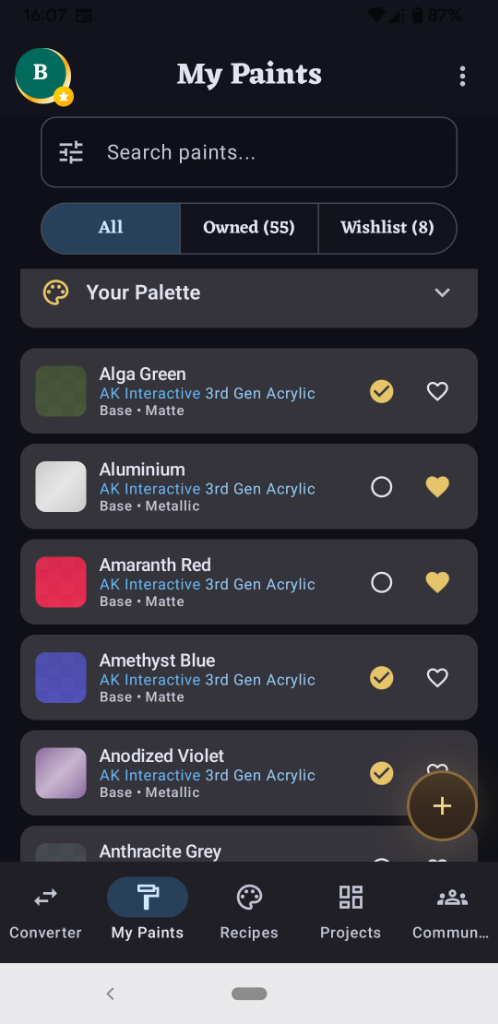
BrushForge My Paints collection screen
My Paints makes the catalogue useful as a personal shelf list.
Switch without starting over

Bring an existing list carefully

1

Choose the cleanest source

A tracker or CSV with brand, range, paint name, and code is easier to reconcile than a list of names alone.

2

Review uncertain rows

Names repeat across ranges. Confirm brand, line, and product code before accepting an imported match.

3

Check before deleting

Import options and accepted formats can differ by app version and platform. Keep the original list until you have verified totals and spot-checked paints.

Photo-assisted import is a starting pointLabels can be obscured, redesigned, or shared across product generations. Treat photo suggestions as candidates to confirm, not a reason to discard your existing record.

A collection workflow that stays useful

  1. Normalize as you add. Prefer catalogue entries with a brand, range, and product code over free-text names.
  2. Separate owned from wanted. A wishlist is a decision queue; it should not inflate what you can actually use today.
  3. Resolve duplicates deliberately. Two pots may be intentional backups, old/new formulas, or accidental purchases.
  4. Use the list in context. When a recipe asks for another brand, check your closest owned same-type paint before buying.
  5. Review after a project. Mark empty, replaced, or retired paints while the information is fresh.

Limits and data safety

The free tier currently supports up to 40 paints. BrushForge does not offer cross-platform sync, so an Android collection and an iOS collection should not be assumed to stay in step. Import and backup availability can change between platform releases; verify the tools shown in your installed version before relying on them as your only copy.

Keep a recoverable source during migrationDo not delete a spreadsheet, tracker export, or photo record until the imported count and a representative set of brand/range/code combinations have been checked.

Import your collection, then make it part of the workflow.

Start free with up to 40 paints. Check the import and backup options in your current platform build before moving an existing tracker.