
1. Use a stable paint identity
Names alone create duplicates because the same words can appear in multiple brands, lines, or formula generations. In BrushForge’s public 10 July 2026 snapshot, 405 paint-name groups occur more than once, involving 1,024 catalogue records. Within individual brands, 296 groups still repeat.
Use the combination of brand, line, name, and code whenever available. Keep barcode as an additional lookup aid rather than assuming it will capture every regional or packaging change.
| Field | Example purpose | Why it prevents mistakes |
|---|---|---|
| Brand + range | Separates lines with different formulas | Names can repeat within one brand |
| Product code | Confirms the catalogue identity | More stable than display name alone |
| Quantity | Distinguishes duplicate from backup | Two owned pots can be intentional |
| Condition | Open, sealed, low, dry, replace soon | “Owned” does not always mean usable |
| Location | Rack, drawer, travel case | Makes the record actionable |
2. Separate ownership states
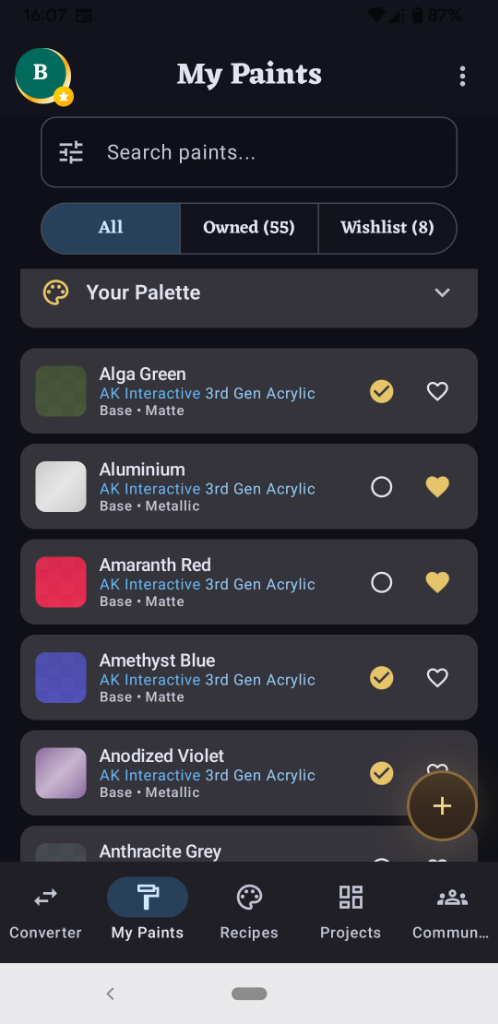
Use at least three states: owned, wishlist, and replace soon. If you mix those states in one undifferentiated list, a shop check can tell you that a paint exists without telling you whether it is actually on the shelf.
For intentional backups, keep one catalogue identity with a quantity rather than duplicating the row. Preserve separate rows only when the formula generation or range is meaningfully different.
3. Start with a shelf audit
- Work one rack, drawer, or brand at a time.
- Clean enough of the label to read the range and code.
- Add or confirm the catalogue identity.
- Mark quantity, condition, and location immediately.
- Put uncertain items in a review group instead of guessing.
- Compare the final count with the physical section before moving on.
A complete small section is more trustworthy than a rushed whole-room scan. The aim is a list you will believe while standing in a shop.
4. Migrate an existing tracker safely
A CSV or tracker export is easiest to reconcile when it includes brand, range, name, and code in separate fields. Before importing, keep an untouched copy. Afterward, compare total counts, inspect every unmatched row, and spot-check several common and unusual products.
Photo-assisted import can accelerate candidate identification, but labels can be hidden, redesigned, or confused with neighbouring pots. Confirm suggestions before accepting them. Import availability and accepted formats may differ by app version and platform; check the tools in your installed build before deleting the original tracker.
5. Make the inventory part of painting
Update a paint when it enters or leaves the shelf, not during a large cleanup months later. Add new purchases before opening them. Mark a pot low when you notice it during a recipe. Review status at the end of a project while the materials are still on the desk.
The most valuable use comes during conversion: filter a shortlist to close same-type paints you already own. Avoiding one unnecessary purchase is more useful than maintaining a collection for its own sake.
Using BrushForge
The native app connects the 4,300+ paint catalogue to collection, recipe, project, and matching workflows. The free tier supports up to 40 owned paints, enough to test whether the habit works for you. Core tools work offline, so the list remains useful in a shop or at an event with poor reception.
The public website has no account system and does not store a personal collection. Use the native Android or iOS app for that workflow.
Sources and next reading
- BrushForge paint inventory feature and current limits.
- How to preserve identity when a paint is discontinued.
- GS1: Global Trade Item Number, background on product identifiers and trade items.
- BrushForge catalogue identity and correction policy.